The Map Pin Mistake That Steals Furnace Leads from Your Service Area
By Faisal Rehman (AI SEO Expert) | Founder @ Local Grow 360
It is the peak of the heating season. Your trucks are gassed up, your technicians are ready, and you have over 50 five-star reviews glowing on your profile. Yet, the phone isn’t ringing. Meanwhile, a competitor with half your experience and a mediocre reputation is capturing every “furnace repair near me” search in the wealthy suburbs just three miles away. You’re invisible. As a specialist in google business profile seo, I see this daily. The culprit isn’t your quality of work; it’s a technical error I call the “Map Pin Mistake.” This confusion between a physical location and a Service Area Business (SAB) designation is the silent killer of HVAC growth. If your google business profile optimization isn’t calibrated to the modern algorithm, you aren’t just losing clicks – you’re handing your leads to the competition on a silver platter.
Understanding the SAB vs. Physical Address Conflict
For years, Google allowed a certain level of ambiguity regarding how home service businesses displayed their locations. You either had a storefront where customers walked in, or you were a Service Area Business (SAB) where you traveled to the customer. However, recent shifts in the local algorithm have created a massive conflict for HVAC contractors who try to play both sides or fail to set their parameters correctly.
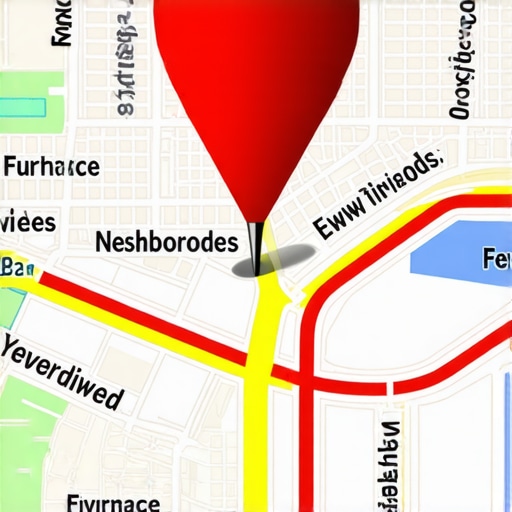
Research into recent Google Maps updates shows a significant departure from the traditional “service area outlines.” Previously, if you defined your service area as a 20-mile radius, Google would often show a shaded circle. Today, Google has shifted toward specific pins – even for SABs. If you haven’t properly configured your profile, Google might be placing a “ghost pin” in an inaccurate location or, worse, tethering your visibility to a residential zone where no commercial demand exists. This is why your service trucks are in one town but your Google ranking is stuck in another.
The technical conflict arises when the algorithm tries to reconcile your “legal” business address (often a home office or a warehouse in an industrial park) with the actual neighborhoods where furnace failures occur. If the map pin is interpreted as a fixed storefront in a low-density area, Google’s “vicinity filter” will stop showing your business to users in high-density residential zones, even if you are only minutes away.
Why Your “Home Office” Pin is Killing Your Furnace Leads
Many HVAC owners start their businesses from home. To verify their Google Business Profile, they use their home address. While this is a legitimate way to start, leaving that pin visible or failing to transition to a proper SAB structure creates the “Proximity Trap.”
In the world of google business profile seo, proximity remains the number one ranking factor. However, if your pin is located in a quiet residential cul-de-sac, Google’s algorithm assumes your primary “sphere of influence” is that immediate neighborhood. When a homeowner ten miles away in a high-value suburb searches for emergency furnace repair, Google looks for the closest “relevant” pin. If your pin is stuck at home, you’re telling the algorithm you only serve your neighbors.
As I often tell my clients at Local Grow 360, “Proximity is the #1 ranking factor, but if your pin is misplaced, you’re telling the algorithm you only serve your neighbors.” You need to break the tether between your physical mailbox and your digital visibility. This is where proximity is winning the local search war for furnace repair calls, and if you aren’t optimized for it, you’re losing. To truly understand where your visibility drops off, many contractors utilize a professional google maps ranking service to map out their actual reach versus their intended service area.
The 2026 Algorithm Shift: Proximity vs. Prominence
Looking toward the future, the local search landscape is undergoing a radical transformation. By 2026, we expect the algorithm to move beyond simple proximity and focus heavily on “Entity Verification” and “Verified Service Evidence.” Google is tired of “lead gen” sites and fake addresses clogging up the Map Pack. The future belongs to businesses that can prove they are physically present in the areas they claim to serve.
This shift means that simply selecting a service area in your dashboard won’t be enough to rank google business profile listings effectively. The 2026 algorithm will prioritize “Prominence” based on real-world data. This includes geo-tagged photos of your branded vans parked in front of local landmarks, reviews that mention specific neighborhoods, and even video evidence of your team performing work. This is the one map algorithm shift that’s hurting small furnace repair shops right now because they rely on old-school “keyword stuffing” rather than real-world entity signals.
To survive this shift, you must treat your Map Pin as a dynamic asset. It isn’t just a dot on a map; it is a gateway to your “Local Authority.” If you aren’t feeding Google the data it needs – such as proof of your technicians performing a Manual J load calculation in a specific zip code – the algorithm will default to the closest physical storefront, regardless of your review count.
Step-by-Step: How to Fix Your Map Pin Without Getting Suspended
Fixing the Map Pin Mistake is a delicate process. One wrong move and you face the dreaded “Profile Suspended” notification. Follow this technical walkthrough to adjust your profile safely and rank higher on google maps.
1. Audit the “Address” Tab
Check your Google Business Profile manager. If your home address is currently visible to the public, you are likely being filtered out of distant service areas. You must determine if you are better served as a “Hidden Address” SAB.
2. Transition to a Hidden Address
To fix this, you need to clear the physical address in the GBP dashboard. This signals to Google that you are a Service Area Business. However, do not do this without having your verification documents (utility bills, business registration) ready, as this often triggers a re-verification request.
3. Define Service Areas by Zip Code
A major mistake is selecting “entire counties” or “major cities.” To rank google business profile listings for specific furnace leads, you must define your service areas by Zip Code. Zip codes carry more weight in the proximity algorithm than broad city names. This is a core component of the one checklist that actually ranks your HVAC business on Google Maps.
4. Prepare for Video Verification
Google now frequently requires a video walk-through for SABs. You must be prepared to film your branded truck, your tools, and your business registration in one continuous shot. Using local seo tools can help you track your rankings before and after this transition to ensure the “vicinity filter” has been lifted.
Beyond the Pin: 3 Signals That Support Your Service Area
Once the pin is corrected, you must reinforce that location with secondary signals. A gmb ranking service is only as good as the data you feed it.
Signal 1: Branded Photos and Geo-Tagging
Stop using stock photos of furnaces. Google’s AI can recognize stock imagery instantly. Instead, upload high-resolution photos of your service vans in the field. When the metadata of a photo shows it was taken in a specific neighborhood, it reinforces your service area claims to the algorithm.
Signal 2: Service-Specific Categories
Many HVAC owners choose “HVAC Contractor” and stop there. To dominate furnace leads, you must include “Heating Contractor” and “Furnace Repair Service” as secondary categories. Mis-categorization is a leading cause of poor visibility. See why picking the wrong Google business categories is hiding your HVAC shop for a deeper dive into this topic.
Signal 3: Local Citations and NAP Consistency
Your Name, Address, and Phone number (NAP) must be identical across the web. If your Yelp profile lists your home address but your GBP is a hidden SAB, Google sees a conflict. Use google business profile optimization techniques to ensure every directory – from Angi to the local Chamber of Commerce – reflects your status as a service area expert.
Technical Expertise: Manual J and the 3-Foot Rule
To truly stand out in 2026, your GBP posts should demonstrate technical authority. Mentioning your adherence to Manual J load calculations when installing new furnaces shows Google (and customers) that you are a professional, not a “trunk-slammer.” Similarly, educating customers on the “3-Foot Rule” – the necessary clearance around an outdoor unit or furnace intake – creates high-engagement content that keeps users on your profile longer, signaling to Google that your business is a high-quality result.
Conclusion: Reclaiming Your Local Dominance
The map pin is the anchor of your digital presence. If it is dragging in the wrong spot, your furnace leads will sink. In the competitive HVAC landscape, you cannot afford to let a technical setting dictate your company’s growth. By understanding the SAB vs. Physical Address conflict and moving toward a “Verified Entity” model, you can reclaim the leads that are currently going to your competitors.
Don’t let a simple setting steal your winter furnace leads. Audit your profile today to ensure your google maps lead generation is firing on all cylinders. If you’re unsure where to start, consult with a google business profile seo expert or utilize professional local seo automation tools to diagnose your visibility gaps. Your next big furnace installation is out there – make sure they can find you.